Table of Contents
- Introduction
- What Determines Google Maps Rankings?
- Step 1: Create and Verify Your Google Business Profile
- Step 2: Complete Every Business Information Field
- Step 3: Upload High-Quality Photos and Videos
- Step 4: Collect More 5-Star Reviews
- Step 5: Use Local SEO Keywords
- Step 6: Publish Google Business Posts Weekly
- Step 7: Add Products and Services
- Step 8: Build Local Citations
- Step 9: Optimize Your Website for Local SEO
- Step 10: Earn High-Quality Local Backlinks
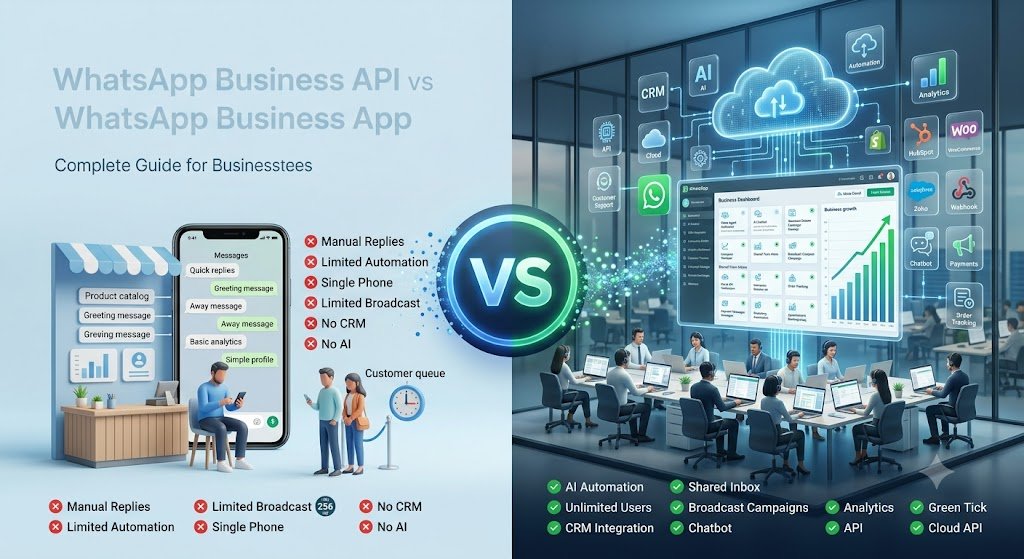
- Step 11: Use WhatsApp Business API to Increase Engagement
- Common Mistakes That Prevent Ranking
- Google Maps Ranking Checklist
- Recommended Free Tools
- Frequently Asked Questions (FAQs)
- Final Action Plan: 30-Day Roadmap
1. Introduction
If you run a business in India—whether it is a bustling restaurant in Bengaluru, a dental clinic in Mumbai, a coaching institute in Kota, or a local saree showroom in Ahmedabad—your next high-paying customer isn’t looking at newspaper ads or paper flyers.
They are searching on their smartphones, opening Google Maps, and typing phrases like “best dentist near me” or “coaching institute in Delhi.”
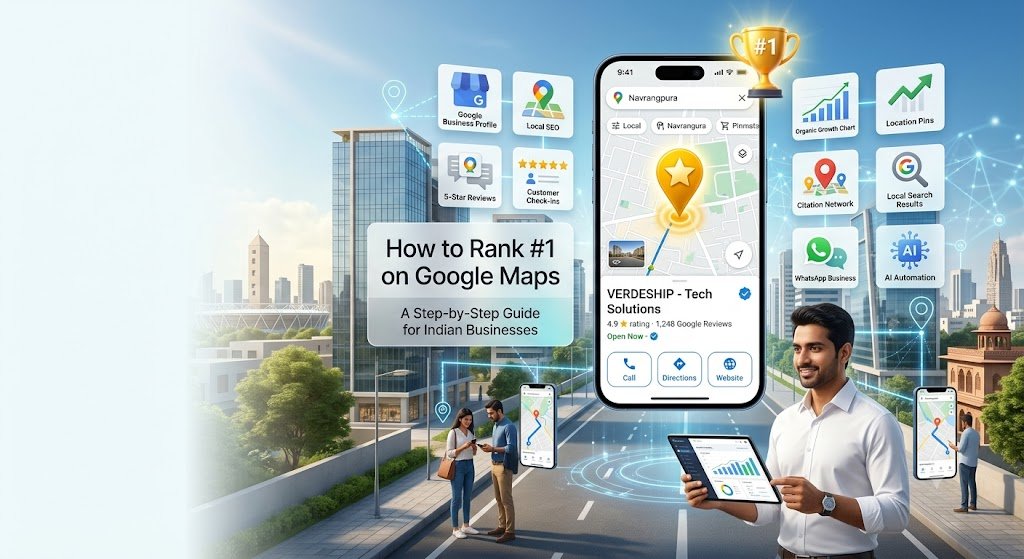
In 2026, Google Maps is the new digital storefront. If your business does not appear in the top 3 Google Maps results (known as the Local 3-Pack), you are practically invisible to over 80% of local intent traffic.
+-------------------------------------------------------+
| GOOGLE SEARCH |
| [ Keyword: "best cafe in indiranagar" ] |
+-------------------------------------------------------+
| |
| +-------------------------------------------------+ |
| | THE GOOGLE LOCAL 3-PACK | |
| | | |
| | 1. Cafe A  (4.9) • Open Now | |
| | Indiranagar, Bengaluru | |
| | | |
| | 2. Cafe B (4.8) • 1.2 km | |
| | Indiranagar, Bengaluru | |
| | | |
| | 3. Cafe C (4.7) • Open 24 Hours | |
| | Indiranagar, Bengaluru | |
| +-------------------------------------------------+ |
| |
| [ Organic Search Results Start Below ] |
| |
+-------------------------------------------------------+
(4.9) • Open Now | |
| | Indiranagar, Bengaluru | |
| | | |
| | 2. Cafe B (4.8) • 1.2 km | |
| | Indiranagar, Bengaluru | |
| | | |
| | 3. Cafe C (4.7) • Open 24 Hours | |
| | Indiranagar, Bengaluru | |
| +-------------------------------------------------+ |
| |
| [ Organic Search Results Start Below ] |
| |
+-------------------------------------------------------+Local Search Statistics in India
To understand the power of Google Maps Marketing, let us look at the numbers driving Indian consumer behavior:
- Over 90% of smart device users in India rely on Google Search and Maps to make local purchasing decisions.
- “Near me” searches in India have grown exponentially by over 250% across tier-1, tier-2, and tier-3 cities.
- 76% of users who search for a local business on their smartphone visit the location within 24 hours.
- 28% of local searches result in an immediate purchase or booking.
Expert Insight:
“The Indian consumer journey has shifted from ‘discovery via recommendation’ to ‘instant verification via Google Maps.’ A business with 500 verified 5-star reviews on Google Maps will out-convert a legacy competitor relying purely on word-of-mouth every single time.”
2. What Determines Google Maps Rankings?
Google uses a proprietary algorithm to determine which businesses earn a spot in the coveted Local 3-Pack. The entire system boils down to three primary pillars: Relevance, Distance, and Prominence.
       ┌────────────────────────────────────────────────────────┐
       │             Google Maps Ranking Factors                │
       └───────────────────────────┬────────────────────────────┘
                                   │
         ┌─────────────────────────┼─────────────────────────┐
         ▼                         ▼                         ▼
  ┌──────────────┐          ┌──────────────┐          ┌──────────────┐
  │  Relevance   │          │   Distance   │          │  Prominence  │
  ├──────────────┤          ├──────────────┤          ├──────────────┤
  │ How well your│          │ How far your │          │ How well-    │
  │ profile      │          │ business is  │          │ known &      │
  │ matches the  │          │ from the user│          │ trusted your │
  │ search query │          │ searching    │          │ brand is     │
  └──────────────┘          └──────────────┘          └──────────────┘
1. Relevance
Relevance measures how well your Google Business Profile (GBP) matches what a user is searching for. If someone searches for “Ayurvedic Skin Clinic,” Google looks for profiles specifically categorized under skin clinics with detailed service listings matching those exact terms.
2. Distance
Distance calculates how far your physical location or service area is from the searcher (or the location term specified in their query, such as “gym in Whitefield”). While you cannot change your physical location, optimizing your Service Areas helps Google understand your target coverage zone.
3. Prominence
Prominence reflects how well-known and trustworthy your business is online. Google assesses prominence by looking at:
- Total count and rating of Google Reviews.
- Local citations and consistent NAP (Name, Address, Phone number) presence.
- Local backlinks pointing to your website.
- Search engine engagement signals (click-through rates, call button presses, request for directions).
Pro Tip: You cannot control a user’s location (Distance), but you can control your Relevance (profile completeness) and Prominence (reviews and citations). Focus 80% of your energy where you have total control.
3. Step 1: Create and Verify Your Google Business Profile
Your Google Business Profile (formerly known as Google My Business India) is the core foundation of your local SEO strategy. Without a verified profile, you cannot rank on Google Maps.
Steps to Claim and Verify Your Profile:
- Visit Google Business Profile and sign in with your official business Google account.
- Enter your exact business name.
- Choose whether you have a physical location customers visit (e.g., store/clinic) or if you deliver services directly to them (e.g., plumber/home tutor).
- Select your verification method:
- Video Verification (Most Common in India): Film a short, uninterrupted video showing your street sign, building exterior, business signage, and proof of access (opening a lock, accessing your POS, or office space).
- Phone/SMS Verification: Available for selected accounts with established authority.
- Postcard Verification: Google sends a physical postcard with a 5-digit PIN code to your address within 12–14 business days.
+-----------------------------------------------------------------------+
|  WARNING: DO NOT EDIT CRITICAL FIELDS BEFORE VERIFICATION |
+-----------------------------------------------------------------------+
| Changing your Business Name, Primary Category, or Address while |
| verification is pending can trigger an automatic account suspension. |
| Wait until your badge says "Verified" before updating core details. |
+-----------------------------------------------------------------------+
WARNING: DO NOT EDIT CRITICAL FIELDS BEFORE VERIFICATION |
+-----------------------------------------------------------------------+
| Changing your Business Name, Primary Category, or Address while |
| verification is pending can trigger an automatic account suspension. |
| Wait until your badge says "Verified" before updating core details. |
+-----------------------------------------------------------------------+4. Step 2: Complete Every Business Information Field
A 100% complete profile ranks higher because Google rewards completeness with greater visibility.
  +-----------------------------------------------------------------+
  |                Profile Completion vs Visibility                 |
  +-----------------------------------------------------------------+
  |  Complete Profile (100%)    [====================] High Rank    |
  |  Partial Profile (50%)      [==========          ] Low Rank     |
  +-----------------------------------------------------------------+
Critical Fields to Complete:
- Business Name: Use your legal/actual business name. Avoid keyword stuffing (e.g., writing “Sharma Sweets – Best Mithai Shop in Jaipur” will get your listing suspended).
- Primary Category: This is the #1 ranking factor for relevance. Pick the category that best describes your core offering (e.g., “Orthopedic Surgeon” rather than just “Doctor”).
- Secondary Categories: Select up to 9 secondary categories to capture long-tail local searches (e.g., “Sports Medicine Clinic,” “Joint Replacement Surgeon”).
- Address & Pin Code: Ensure your physical address matches your official GST registration or electricity bill down to the shop number, building name, and pin code.
- Service Areas: If you deliver products or provide on-site services, select specific local areas, sectors, or pin codes (e.g., “Koramangala, Indiranagar, HSR Layout”).
- Phone Number: Use a local, active phone number. A dedicated WhatsApp Business number increases call and chat conversions significantly.
- Website URL: Link directly to your homepage or a location-specific local landing page.
- Business Hours: Keep regular and special hours updated (especially during Indian festivals like Diwali, Eid, or Christmas).
- Business Description: Write an engaging 750-character summary. Include target keywords naturally within the first 250 characters.
5. Step 3: Upload High-Quality Photos and Videos
Visual proof creates trust. Profiles featuring authentic photos receive 42% more requests for directions and 35% more website clicks than those without photos.
| Photo Category | What to Upload | Recommended Frequency |
|---|---|---|
| Exterior Photos | Street view, building facade, main entrance board | Updated yearly / as signage changes |
| Interior Photos | Reception area, seating arrangement, ambiance, equipment | 3–5 initial high-res shots |
| Product / Service Photos | Dishes served, medical facilities, retail displays, before-after results | 2–3 photos every week |
| Team & Action Photos | Staff at work, doctor with patient, owner greeting clients | Monthly |
| Short Videos (10–30s) | Virtual walkthrough of premises, behind-the-scenes clips | Bi-weekly |
Pro Tip: Never use stock photos! Google’s AI image recognition system can identify stock assets and will deprioritize them in favor of geotagged, real-life photos taken directly from mobile devices.
6. Step 4: Collect More 5-Star Reviews
Reviews are the single largest driver of Prominence. High star ratings and review velocity directly propel your listing into top positions on Google Maps.
       +-----------------------------------------------------------+
       |                  THE REVIEW FLYWHEEL                      |
       +-----------------------------------------------------------+
       |                                                           |
       |      Higher Google Maps Rank ---> More Local Exposure     |
       |                  ^                      |                 |
       |                  |                      v                 |
       |         More 5-Star Reviews <--- Increased Customers       |
       |                                                           |
       +-----------------------------------------------------------+
Review Request Strategy
- The Instant Request Rule: Request a review immediately after a transaction, consultation, or service delivery when customer satisfaction is highest.
- WhatsApp Review Automation: Send an automated WhatsApp message containing your direct Google Review link within 30 minutes of a sale.
- QR Code Method: Place physical tabletop acrylic stands with QR codes at counter/checkout points saying “Scan here to leave us a quick review on Google!”
Responding to Reviews
Respond to 100% of your reviews (both positive and negative) within 24–48 hours.
- For Positive Reviews: Express gratitude and naturally integrate a local keyword (e.g., “Thank you Rahul! Glad you enjoyed the authentic South Indian thali at our Indiranagar restaurant.”).
- For Negative Reviews: Remain polite, acknowledge the issue, apologize without making excuses, and offer an offline resolution channel (e.g., “Please call our manager directly at +91-XXXXX-XXXXX so we can make this right.”).
7. Step 5: Use Local SEO Keywords
Local SEO Keywords are geographic-specific search queries that high-intent customers use when searching for immediate solutions nearby.
Types of Local Keywords:
- Explicit Local Keywords: Include city or landmark names (e.g., “CA firm in Connaught Place,” “pyschiatrist in South Mumbai”).
- Implicit Local Keywords: Based on user location parameters (e.g., “best biryani,” “24 hour pharmacy”).
Strategic Keyword Placement Matrix:
- GBP Description: Use keywords naturally in your 750-character writeup.
- Services & Products List: Put explicit keyword titles on every service (e.g., “Root Canal Treatment in Ahmedabad”).
- Google Posts: Include targeted long-tail keywords in your regular weekly posts.
- Review Responses: Reference specific services and location terms in your customer replies.
8. Step 6: Publish Google Business Posts Weekly
Google Business Profile allows you to publish mini-updates directly onto your local listing panel. These function like short blog updates or social posts that send fresh activity signals directly to Google.
+-----------------------------------------------------------------+
|                    Google Post Types to Use                     |
+-----------------------------------------------------------------+
|  1. WHAT'S NEW   -> Introduce new services or clinic features   |
|  2. OFFERS       -> Announce festive discounts (Diwali/EID)     |
|  3. EVENTS       -> Webinars, free health checkups, workshops   |
+-----------------------------------------------------------------+
Best Practices for Google Posts:
- Post at least 1 to 2 times every week.
- Include an eye-catching 1:1 square photo or graphic.
- Write concise text (100–200 words) containing target local keywords.
- Always add a clear Call-To-Action (CTA) button such as “Call Now,” “Book Online,” or “Learn More.”
9. Step 7: Add Products and Services
Google Maps displays structured tabs for Products and Services right on your mobile profile layout, making it easier for users to browse offerings before reaching out.
+-----------------------------------------------------------------+
|              Mobile Listing Interface Preview                   |
+-----------------------------------------------------------------+
|  [ Overview ]   [ Services ]   [ Products ]   [ Reviews ]       |
|                                                                 |
|  • Service 1: Digital Marketing Consultancy (INR 15,000)        |
|  • Service 2: SEO Audit & Local Map Optimization (INR 8,000)    |
|  • Product A: Premium Herbal Hair Oil - 250ml (INR 499)         |
+-----------------------------------------------------------------+
How to Structure Them:
- Services: Create custom service categories under your primary listing. Provide detailed descriptions for each item along with starting pricing where appropriate.
- Products: Add product images, item descriptions, precise pricing in INR, and a direct URL linking back to your product page on your main website.
10. Step 8: Build Local Citations
A local citation is any online mention of your business Name, Address, and Phone Number (NAP) on digital business directories.
+-----------------------------------------------------------------+
|                      The NAP Consistency Rule                   |
+-----------------------------------------------------------------+
|  Website:    Verdeship Tech, 102 Green Tower, SG Highway        |
|  Justdial:   Verdeship Tech, 102 Green Tower, SG Highway        |
|  IndiaMART:  Verdeship Tech, 102 Green Tower, SG Highway        |
|                                                                 |
|  STATUS:     100% MATCHED (High Trust Signal)                   |
+-----------------------------------------------------------------+
Top Directories for Business Listings in India:
- Justdial
- IndiaMART
- Sulekha
- TradeIndia
- Facebook Business Page
- Bing Places for Business
- YellowPages India
Callout Tip: Inconsistency in NAP details across directories (e.g., using “Amdavad” on Justdial and “Ahmedabad” on Google Maps) confuses Google’s algorithms and reduces your profile’s authority.
11. Step 9: Optimize Your Website for Local SEO
Your Google Business Profile and your website are tightly linked. High organic authority on your main website translates into stronger Map rankings.
+-----------------------------------------------------------------+
|                    On-Page Local SEO Checklist                  |
+-----------------------------------------------------------------+
| [x] Title Tag includes Primary Keyword + City                   |
| [x] Meta Description includes Phone Number + CTA                |
| [x] Local Landing Pages created for every service location     |
| [x] Internal links point back to main location pages            |
| [x] LocalBusiness Schema Markup embedded in HTML               |
| [x] Page passes Google Mobile-Friendly test                     |
+-----------------------------------------------------------------+
1. Title Tags & Meta Descriptions
Include your primary target service along with your main city in your title tags:
- Title Tag Example:
Best Dental Clinic in Indiranagar, Bengaluru | Dental Care - Meta Description Example:
Looking for a trusted dentist in Indiranagar? We offer painless root canals and teeth whitening. Call +91-XXXXX-XXXXX to book an appointment today.
2. Dedicated Local Landing Pages
If you operate across multiple branches or serve several cities (e.g., Delhi, Noida, Gurgaon), build dedicated location pages for each branch featuring:
- Local NAP details matching that branch’s GBP profile.
- Embedded Google Maps frame pointing directly to that listing.
- Specific customer testimonials from clients living in that locality.
3. LocalBusiness Schema Markup
Implement JSON-LD LocalBusiness schema structured code on your website to explicitly inform search engine crawlers about your location, business hours, and operational details.
{
  "@context": "https://schema.org",
  "@type": "LocalBusiness",
  "name": "Your Business Name",
  "image": "https://yourwebsite.com/logo.png",
  "telephone": "+91-9876543210",
  "address": {
    "@type": "PostalAddress",
    "streetAddress": "102 Business Hub, SG Highway",
    "addressLocality": "Ahmedabad",
    "addressRegion": "Gujarat",
    "postalCode": "380054",
    "addressCountry": "IN"
  }
}
12. Step 10: Earn High-Quality Local Backlinks
Backlinks from authoritative local domains signal strong regional prominence to search algorithms.
Effective Local Link Building Tactics:
- Sponsor Local Events: Sponsor sports leagues, cultural fests, or neighborhood events in exchange for a backlink on their official event page.
- Local News & PR: Pitch local human-interest stories, business milestones, or community initiatives to regional digital news outlets.
- Partner Collaborations: Partner up with non-competing local business vendors (e.g., a wedding caterer linking to a local venue partner).
- Local Business Directories: List your site on hyper-local city portals and merchant association websites.
13. Step 11: Use WhatsApp Business API to Increase Engagement
Google closely tracks real-time engagement signals—such as click-throughs, customer contact attempts, and website actions—when ranking listings on Google Maps.
In India, WhatsApp is the preferred communication channel for consumers. Connecting your local search traffic to a WhatsApp Business API setup boosts conversion rates significantly.
       ┌────────────────────────────────────────────────────────┐
       │             Google Maps User Interaction               │
       └───────────────────────────┬────────────────────────────┘
                                   │
                                   ▼
       ┌────────────────────────────────────────────────────────┐
       │      Click to WhatsApp / Website Consultation          │
       └───────────────────────────┬────────────────────────────┘
                                   │
                                   ▼
       ┌────────────────────────────────────────────────────────┐
       │             WhatsApp API Instant Response              │
       ├────────────────────────────────────────────────────────┤
       │  • Instant 24/7 Bot Replies                            │
       │  • Automated Lead Qualification                        │
       │  • Direct Appointment Scheduling                       │
       │  • Instant Post-Visit Review Collection                │
       └───────────────────────────┘
How WhatsApp API Supercharges Local Engagement Signals:
- Instant Response Times: Google prioritizes listings that resolve user queries quickly. Automated WhatsApp API workflows deliver immediate replies to incoming leads 24 hours a day, 7 days a week.
- Automated Lead Qualification: Interactively qualify potential leads before handing them over to your sales team or front desk staff.
- Seamless Appointment Booking: Allow prospects to select convenient time slots and confirm consultations directly inside WhatsApp chats.
- Automated Review Collection: Trigger automated review request campaigns over WhatsApp post-purchase to build 5-star Google Map reviews consistently.
- Abandoned Enquiry Follow-ups: Re-engage visitors who inquired on your website but dropped off without booking a service call.
14. Common Mistakes That Prevent Ranking
Avoid these common blunders that hurt your local visibility on Google Maps:
+-----------------------------------------------------------------+
|                 15 LOCAL SEO MISTAKES TO AVOID                  |
+-----------------------------------------------------------------+
| 1. Stuffing keywords into your official business name           |
| 2. Using a residential home address for a storefront listing    |
| 3. Choosing the wrong primary category                          |
| 4. Having duplicate listings for a single business location     |
| 5. Ignoring negative customer reviews                           |
| 6. Leaving profile information incomplete                       |
| 7. Displaying inconsistent NAP details across directories       |
| 8. Uploading low-quality or watermarked stock photos            |
| 9. Buying fake Google reviews from black-hat providers         |
| 10. Failing to list business hours during national holidays     |
| 11. Pointing your GBP link to broken or slow web pages          |
| 12. Never updating Google Business Posts                        |
| 13. Using a virtual call center number instead of a local line  |
| 14. Forgetting to enable the built-in messaging feature         |
| 15. Disregarding website mobile optimization                    |
+-----------------------------------------------------------------+
15. Google Maps Ranking Checklist
Use this simple operational checklist to ensure your business covers every critical local ranking signal:
[ ] Google Business Profile verified with official video proof
[ ] Business name matches official GST / shop licenses exactly
[ ] Correct Primary Category selected
[ ] 3+ relevant Secondary Categories added
[ ] Complete address details and accurate map pin location updated
[ ] Service Areas clearly defined by pin codes / regions
[ ] Local direct telephone number listed
[ ] Active website URL linked directly to profile
[ ] Complete 750-character business description published
[ ] 10+ high-resolution, original interior/exterior photos uploaded
[ ] Structured list of Products and Services added with pricing
[ ] Automated WhatsApp review link setup completed
[ ] 100% of reviews answered with professional replies
[ ] Google Posts scheduled weekly with CTA buttons
[ ] Local Business Schema code implemented on homepage
[ ] NAP details published consistently across 6+ local Indian directories
16. Recommended Free Tools
| Tool Name | Key Benefit | Use Case |
|---|---|---|
| Google Business Profile App / Web | Direct listing management | Update business details, post updates, reply to reviews |
| Google Keyword Planner | Local keyword discovery | Find local search volumes across Indian cities |
| BrightLocal Search Results Checker | Search geolocation simulator | Check local Map rankings in specific pin codes |
| PlePer Local SEO Chrome Extension | GBP category analysis | Analyze competitor primary and secondary categories |
| Schema Markup Generator (Merkle) | Structured data generation | Create error-free LocalBusiness JSON-LD code |
17. Frequently Asked Questions (FAQs)
Q1: How long does it take to rank #1 on Google Maps in India?
A: Depending on local market competition, optimization efforts generally take 60 to 90 days to show strong rankings in the Local 3-Pack.
Q2: Is Google Business Profile completely free?
A: Yes! Registering, verifying, and managing your Google Business Profile is 100% free of cost.
Q3: Can I rank on Google Maps if I don’t have a physical store?
A: Yes. You can register as a Service Area Business (SAB), hide your residential address, and set specific geographical service zones.
Q4: Will keyword stuffing in my business name help me rank faster?
A: No. While it might offer a temporary push, keyword-stuffed business names frequently get reported by competitors and suspended by Google algorithms.
Q5: How many Google reviews do I need to reach the top 3 spots?
A: There is no fixed number. You need to consistently collect more genuine, high-rating reviews than your top 3 local competitors.
Q6: What should I do if my business listing gets suspended?
A: Review Google’s Guidelines, remove any policy violations (e.g., keyword stuffing, invalid addresses), and submit an official reinstatement appeal along with business proof like GST certificates or utility bills.
Q7: Do social media shares affect my Google Maps rankings?
A: Indirectly. Social shares drive web traffic and brand searches, which build overall domain authority and brand prominence.
Q8: What is the best way to handle fake negative reviews?
A: Flag the review inside your GBP manager for administrative review. Reply professionally to explain the situation clearly to potential customers viewing your profile.
Q9: Should I create separate listings for multiple services at the same location?
A: No. Keep one consolidated listing per physical location unless you operate distinct, legally separate businesses or independent departments (such as a car showroom with a separate official service center).
Q10: How often should I upload new photos to my profile?
A: Upload 2 to 3 new authentic photos weekly to signal active business operations.
Q11: Does having an SSL certificate on my website help Map rankings?
A: Yes. HTTPS security is an official Google ranking factor for websites, which in turn impacts your local prominence.
Q12: Why did my business drop off the Google Maps Local 3-Pack overnight?
A: Common causes include temporary algorithmic updates, competitor review spikes, profile edits triggering re-verification, or missing NAP consistency on high-authority directories.
Q13: Can I use a toll-free number (1800) as my primary business phone?
A: It is better to use a local landline or mobile number with a local area code, as local area numbers reinforce geographic relevance.
Q14: How does WhatsApp Business API integration help my Google Map listing?
A: It improves conversion rates, accelerates customer engagement signals, and automates post-service review request campaigns over WhatsApp chats.
Q15: Are local citations still important in 2026?
A: Yes. Citations on trusted directories like Justdial, IndiaMART, and Sulekha help establish consistent brand trust and local prominence across search engines.
18. Final Action Plan: 30-Day Local SEO Roadmap
+-----------------------------------------------------------------+
|                        30-DAY ACTION PLAN                       |
+-----------------------------------------------------------------+
|  DAYS 1–7   : PROFILE SETUP & CORE VERIFICATION                 |
|               • Claim/Verify GBP                                |
|               • Complete all 100% profile fields                |
|               • Add 10+ high-res interior/exterior photos       |
|                                                                 |
|  DAYS 8–15  : CITATION & CONTENT BUILDING                       |
|               • List products and services with pricing         |
|               • Build listings on Justdial, IndiaMART, Sulekha  |
|               • Embed Local Schema code on main website         |
|                                                                 |
|  DAYS 16–23 : REVIEW AUTOMATION & WHATSAPP ENGINE              |
|               • Set up QR code request stands at checkout       |
|               • Deploy WhatsApp API for automated follow-ups    |
|               • Answer 100% of existing profile reviews         |
|                                                                 |
|  DAYS 24–30 : ENGAGEMENT & ONGOING OPTIMIZATION                 |
|               • Publish weekly Google Business Posts            |
|               • Acquire 2-3 local backlinks via partnerships    |
|               • Track performance metrics in GBP Insights       |
+-----------------------------------------------------------------+
Dominate Local Search & Turn Map Searches Into Paying Customers!
Ranking #1 on Google Maps isn’t about luck—it requires a systematic local SEO strategy tailored specifically to how Indian consumers search, interact, and buy online.
By keeping your Google Business Profile complete, accumulating authentic 5-star reviews, building regional citations, and engaging prospects instantly via WhatsApp Automation, you can build a predictable engine for local walk-in customers, call inquiries, and service bookings.
Want Expert Help Scaling Your Local Business?
At Verdeship, we help Indian businesses dominate local search and turn online interest into real-world revenue.
- Complete Google Business Profile Optimization
- Local SEO & Citation Building Campaigns
- WhatsApp Business API Automation & Review Engines